If you run a retail store, restaurant, or multi-location business on Clover POS, chances are your accounting, inventory, and customer data live somewhere else entirely — usually in Odoo, QuickBooks, or a spreadsheet someone updates “when they get a chance.” That gap between what happens at the counter and what shows up in your books is where most operational headaches start. A proper Clover to Odoo integration closes that gap, syncing sales, inventory, customers, and payments between the two systems automatically and in real time.
What Is Clover to Odoo Integration?
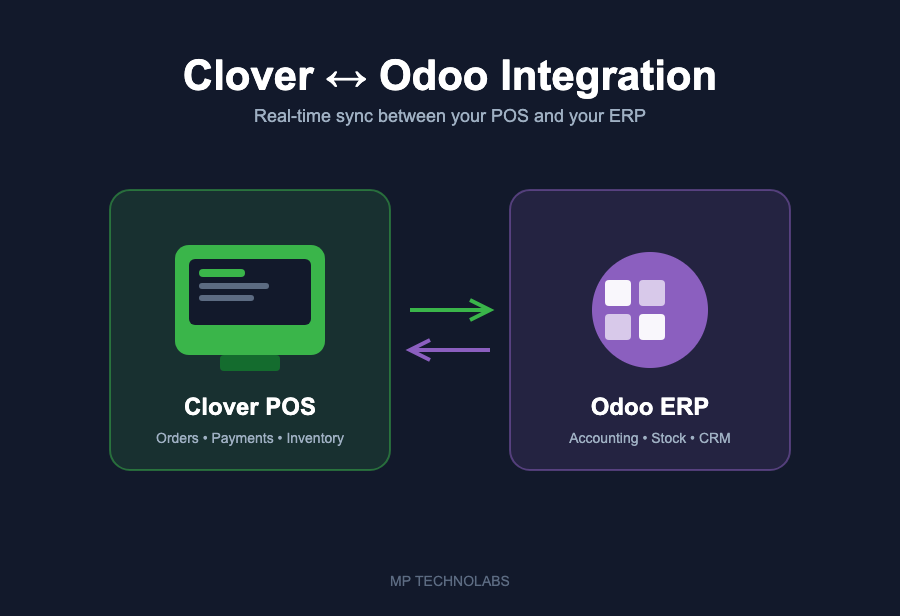
Clover to Odoo integration connects your Clover point-of-sale hardware and software directly with your Odoo ERP instance. Instead of manually exporting sales reports or re-entering transactions at the end of the day, every order rung up on Clover flows straight into Odoo — updating inventory counts, creating accounting entries, and syncing customer records without anyone touching a keyboard.
At MP Technolabs, we’ve built and refined a dedicated Clover integration module for Odoo 19 that handles this connection natively, giving businesses a single source of truth across their front-of-house and back-office operations.
Why Businesses Need It
- Real-time inventory accuracy — stock levels in Odoo update the moment a sale happens on Clover, so you never oversell an out-of-stock item.
- Automated accounting — sales, taxes, and payment types post directly to the right Odoo ledgers, cutting down manual journal entries and end-of-day reconciliation.
- Unified customer data — customer profiles and purchase history sync between Clover and Odoo CRM, giving you one accurate view of every buyer.
- Multi-location visibility — run several Clover terminals across different stores and see consolidated sales and inventory data in a single Odoo dashboard.
- Fewer manual errors — eliminating double data entry removes the most common source of mismatched books and stock discrepancies.
How the Integration Works
The integration typically runs through the Clover REST API and Webhooks, paired with a custom Odoo module that listens for and processes events. Here’s the general flow:
- A sale, refund, or inventory change happens on the Clover terminal or app.
- Clover sends a webhook event (or the Odoo module polls the Clover API on a schedule) with the transaction details.
- The Odoo module processes the payload, mapping Clover order lines, items, and customers to their Odoo equivalents.
- Odoo creates or updates the corresponding sales order, invoice, stock move, and customer record.
- Inventory levels, accounting entries, and reports in Odoo reflect the change instantly — no manual sync required.
Common Use Cases
Retail chains use the integration to keep stock levels consistent across every Clover terminal and warehouse location managed in Odoo. Restaurants and cafes sync daily sales and tips directly into Odoo accounting, cutting down the time spent closing out registers by hand. Franchise operators get a consolidated view of performance across every location without asking each store manager to send in spreadsheets.
Challenges Without Integration
Without a direct connection between Clover and Odoo, businesses typically fall back on manual exports, CSV imports, or third-party spreadsheets to bridge the gap. That approach introduces delays between what happens on the sales floor and what your books show, creates room for human error during data entry, and makes it difficult to trust your inventory numbers at any given moment. As transaction volume grows, the manual workload grows with it — often to the point where someone is spending hours every week just reconciling POS data with the ERP.
How MP Technolabs Can Help
We’ve developed a purpose-built Clover integration module for Odoo that handles order sync, inventory updates, payment reconciliation, and customer data mapping out of the box — and we customize it further based on how your business actually operates, whether that’s a single storefront or a multi-location retail or restaurant group. If you’re running Clover and Odoo separately today, we can help you connect them properly.
Ready to unify your POS and ERP? Get in touch with our team for a free consultation on your Clover to Odoo integration.