Android App Development for Phones and Tablets
Native Android apps built with Kotlin and Jetpack Compose — designed with Material Design, tested across devices, connected to your back end or Odoo, and taken through Google Play release and beyond.
For businesses launching a customer-facing Android app, teams that need a field, warehouse or sales app connected to their ERP, and companies modernising an existing Android app.
What we deliver
- Product discovery and feature scope
- UI/UX design with Material Design
- Native Kotlin / Jetpack Compose development
- APIs and Odoo / ERP integration
- Play Console testing and Google Play release
- Updates, maintenance and new features
Trusted by businesses in retail, textile, distribution, services and the public sector








Why Android App Projects Struggle
Most app problems start before the first line of code. These are the ones we help teams avoid.
Unclear scope
Too many features for a first release, or the wrong ones.
Device fragmentation
Layouts and features break on some phones, tablets or Android versions.
Google Play policy issues
Releases stall on policy, permissions or data-safety requirements.
Disconnected from the business
The app can’t read orders, stock or customer data.
Slow or unstable apps
Crashes and lag lead to poor reviews.
No plan after launch
New Android versions and API levels break older apps.
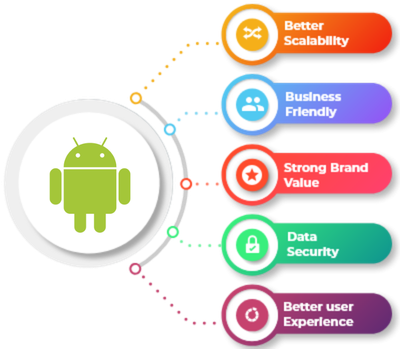
What Is Android App Development?
Need iPhone as well? Compare native and cross-platform options on our iOS, hybrid and Kotlin Multiplatform pages.
Android App Development Services
Everything from the first idea to updates after launch.
Custom Android Apps
- Customer-facing apps
- Loyalty and ordering apps
- Booking and service apps
Tablet & Rugged Device Apps
- Larger-screen layouts
- Warehouse and field devices
- Barcode and scanner support
Android UI/UX Design
- User flows and wireframes
- Material Design
- Clickable prototypes
Enterprise & Field Apps
- Sales and service teams
- Order capture and inspections
- Private distribution options
Odoo & ERP Integration
- Orders, stock and customers
- Real-time sync via APIs
- Secure login
Back End & APIs
- REST APIs
- Push notifications
- Admin panels
Google Play Release
- Internal and closed testing
- Store listing preparation
- Policy and data-safety checks
Maintenance & Upgrades
- New Android version support
- Bug fixes and performance
- Feature enhancements
Apps That Work Across the Android Ecosystem
Android runs on thousands of device models. We design with Material Design and test on the screen sizes, Android versions and devices your users actually have.
- Material Design guidelines followed
- Responsive layouts for phones and tablets
- Dark theme and accessibility support
- Native device features where needed
- Tested on real devices and emulators
How We Develop Android Apps
Six steps from idea to a live, supported app.
Discover & Plan
Goals, users, features and integrations defined.
Why it matters: The right first release.
You get: A feature scope and roadmap.
UX & UI Design
User flows, wireframes and Material Design screens.
Why it matters: Users find their way easily.
You get: Approved designs and a prototype.
Development
Native build in Kotlin with Jetpack Compose, in short cycles.
Why it matters: You see progress early.
You get: Working builds.
Integration & APIs
Back end, Odoo or ERP and third-party services connected.
Why it matters: Data flows without re-keying.
You get: Tested integrations.
Testing & Beta
Device, performance and security testing; Play testing tracks with real users.
Why it matters: Fewer surprises after launch.
You get: A release candidate.
Launch & Support
Google Play release, monitoring and updates.
Why it matters: A smooth launch and a healthy app.
You get: A live app and update plan.
Choosing the Right Approach for Your App
We recommend the approach that fits your users, budget and roadmap.
Native Android
- Kotlin and Jetpack Compose
- Full access to Android features
- Smooth, platform-native feel
- Ideal for Android-heavy audiences
Native Android + iOS
- Separate native apps
- Best experience on each platform
- See iOS development
- Higher build effort
Kotlin Multiplatform / Hybrid
- Shared business logic or one codebase
- Faster to reach both stores
- See Kotlin Multiplatform
- Some platform trade-offs
The Android Technology We Use
Modern Android tooling, connected to your business systems.
Android platform
Building the app.
Data & integration
Connecting the app.
Quality & release
Shipping with confidence.
Android Apps by Industry
Examples of apps we can build for your sector.
Retail & Fashion
Shopping, loyalty and in-store assistant apps.
Healthcare & Pharmacy
Appointment, pharmacy ordering and patient apps.
Distribution
Sales-rep ordering, warehouse scanning and delivery apps.
Manufacturing
Inspection, maintenance and shop-floor apps.
Education
Student, parent and campus apps.

Hospitality
Booking, guest and staff apps.
Projects With Customer-Facing Apps
Business platforms where apps connect customers to the back office.
Dawatech
- Challenge
- Branches handled pricing, refunds and cashier sessions differently across three countries.
- Solution
- One bilingual Odoo 16 platform with POS, B2B ordering and a consumer app.
- Scope & technology
- Consumer appOdoo 16EN / AR
- Outcome
- Live in three countries on one platform.
Koskii
- Challenge
- Separate systems caused interoperability problems and limited customization.
- Solution
- Odoo recommended as one platform for accounting, sales, purchasing and POS.
- Scope & technology
- RetailPOSOdoo
- Outcome
- One platform in place of separate software.
Why Choose MP Technolabs for Android App Development?
App developers who also understand the business systems behind the app.
How Much Does Android App Development Cost?
We estimate after understanding your scope. The main factors are:
| Factor | Why it matters |
|---|---|
| Features & screens | Size of the build |
| Design | Custom UI and animations |
| Devices | Phones, tablets or special hardware |
| Back end | New APIs or existing systems |
| Integrations | Odoo, ERP, payments, maps |
| Security | Login, data protection, roles |
| Support | Updates after launch |
How Long Does Android App Development Take?
The timeline depends on scope. The main drivers are:
- Number of features and screens
- Design complexity
- Back-end and integration work
- Testing and beta feedback rounds
- Device coverage and Google Play review
We often launch a focused first version and add features in later releases.
What Our Odoo Clients Say
Real words from real clients.
I’ve tried many partners, but I feel trust and experience with only the MP Technolabs team.
I appreciate working with the team — they delivered the project successfully.
I’ve never seen responsiveness like the MP Technolabs team provides — 24/7 support, they’re always there.
Android App Development FAQs
What businesses ask before building an Android app.
Which technologies do you use for Android apps?
We build native Android apps mainly in Kotlin with Jetpack Compose, and work with Java for existing codebases, using Android Studio and the Android SDK.
Do you build apps for tablets and rugged devices?
Yes. We design layouts for phones and tablets and can build apps for warehouse or field devices, including barcode scanning where the hardware supports it.
How do you handle different Android devices and versions?
We agree the supported Android versions with you and test on a range of screen sizes, OS versions and device makers before release.
Do you handle Google Play release?
Yes. We prepare the release build, testing tracks, store listing and data-safety details, and work with you through Google Play review. Apps are published under your Google Play developer account.
Can an Android app integrate with Odoo?
Yes. We build Android apps that connect to Odoo through its API to read and update data such as customers, orders, products and stock.
Can the app work with our existing back end or APIs?
Yes. We integrate with existing REST APIs or build a new back end and admin panel if needed.
Can you build internal apps that aren’t public on Google Play?
Yes. Staff apps can be distributed privately, for example through managed Google Play; we advise on the right route.
Should we build native Android or a cross-platform app?
Native Android suits apps that need top performance, deep device access or an Android-first audience. Kotlin Multiplatform or hybrid apps can reach Android and iOS faster from shared code. We recommend after discovery.
Can you take over or update an existing Android app?
Yes. We review the existing Kotlin or Java code first, then fix, update or rebuild it depending on its condition.
How do you keep the app secure?
We use secure authentication, encrypted connections, careful data storage and permission handling, and security testing, following Google Play’s data-safety requirements.
Do you provide maintenance after launch?
Yes. We offer updates for new Android versions and Google Play requirements, bug fixes, performance improvements and new features.
Will you sign an NDA?
Yes. We keep project information confidential and can sign an NDA before discussing your app in detail.
How is the app’s source code licensed?
The code we develop is licensed to you for use in your business. Licence terms are set out in the contract before development starts.
How long does Android app development take?
It depends on features, design, integrations, device coverage and testing rounds. You receive a timeline after the discovery phase.
How much does Android app development cost?
It depends on features, design, devices, back end, integrations, security and support. Request an app estimate.
Ready to Build Your Android App?
Tell us who the app is for, what it should do and which systems it needs to connect to. We’ll help you shape the first release.