WhatsApp Business Solutions

WhatsApp Solutions Connected to Odoo and Your CRM

Send order updates, invoices and payment reminders, run approved campaigns and answer customers with a WhatsApp chatbot — all driven by the data already in Odoo, your ERP or CRM.

For businesses whose customers already live on WhatsApp, teams chasing payments and updates by hand, and companies that want one conversation history inside their ERP.

Official WhatsApp Business Platform (Meta) · Odoo-native or API integration

What we set up

  • WhatsApp Business Platform onboarding
  • Odoo / ERP / CRM integration
  • Automated transactional messages
  • Approved templates for campaigns
  • AI chatbot with human handover
  • Conversation history on the customer record
Policy first: we build within Meta’s WhatsApp Business rules on opt-in, templates and messaging windows.
13+Years of company experience
V8–V20Odoo version expertise
200+Odoo projects delivered
ERP + CRMIntegration focus

Trusted by businesses in retail, textile, distribution, services and the public sector


GulfTill Tools GmbHGWSSBOrderOutUrbanLens88ABXOlivio&CoScience City GujaratSeven DimensionSpin11
The Communication Gap

Why Customer Communication Breaks Down

Customers expect quick answers on the app they use every day. These are the gaps we’re asked to close.

Updates get lost in email

Order confirmations and invoices go unread.

With WhatsApp automation: Transactional messages sent on WhatsApp from the ERP.

Payment reminders by hand

Finance teams chase overdue invoices one call at a time.

With WhatsApp automation: Scheduled reminders with the invoice or payment link.

Staff use personal phones

Chats sit on individual devices with no history for the team.

With WhatsApp automation: A shared business number with history on the customer record.

Questions after office hours

Customers wait until the next day for simple answers.

With WhatsApp automation: A chatbot answers common questions and hands over to people.

Leads fall through the cracks

WhatsApp enquiries never reach the CRM.

With WhatsApp automation: Leads captured and assigned automatically.

Risky bulk messaging

Unofficial tools put the number at risk of being blocked.

With WhatsApp automation: Official API with approved templates and opt-in.
The Basics

What Is WhatsApp Business API Integration?

WhatsApp Business API integration connects the official WhatsApp Business Platform from Meta to your business systems, so messages are sent and received automatically from Odoo, your ERP or CRM — using approved templates for outbound messages, a chatbot or agents for replies, and one shared history for every customer.

Unlike the WhatsApp Business app on a single phone, the API supports automation, multiple agents and system integration. For Odoo users it works alongside sales, invoicing, inventory and CRM — see our Odoo customization and development services.

Trigger
New orderInvoice dueDeliveryLead
Message
Approved templateDocumentLink
Converse
ChatbotAgent inboxHandover
Record
Customer historyCRM activityReports
Solutions

WhatsApp Solutions We Build

Each solution starts from a business event and ends in a recorded conversation.

WhatsApp Odoo Integration

  • Send messages from Odoo records
  • Invoices and quotes as PDFs
  • Replies logged on the record

AI WhatsApp Chatbot

  • Answers common questions
  • Captures and qualifies leads
  • Hands over to a person

Automated Notifications

  • Order and delivery updates
  • Appointment reminders
  • Payment reminders

Template Campaigns

  • Approved marketing templates
  • Opt-in audience lists
  • Campaign reports

Shared Team Inbox

  • Several agents on one number
  • Assignment and notes
  • History per customer

CRM Lead Capture

  • Enquiries become leads
  • Assigned to sales teams
  • Follow-up activities

Order & Status Queries

  • Order status lookup
  • Delivery tracking links
  • Re-order requests

Other ERP & CRM Integration

  • API-based connection
  • Systems such as SAP or Zoho
  • Custom platforms
One Channel, Every Touchpoint

WhatsApp Alongside Your Other Channels

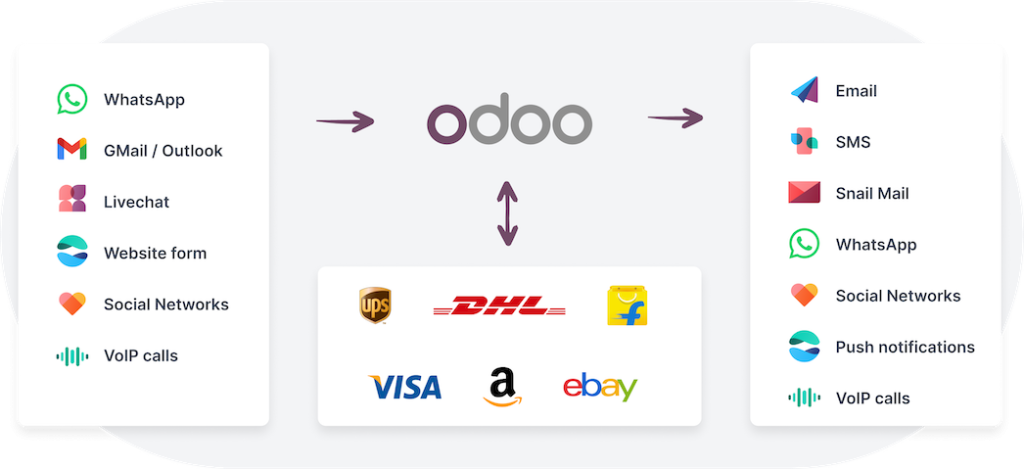
WhatsApp works best as part of a connected communication setup. Messages are triggered by what happens in your ERP, and every reply is stored where your team already works.

  • Messages triggered by ERP events
  • Email and WhatsApp used together
  • Customer history in one place
  • Opt-in and preferences respected
  • Reports on delivery and replies
Multi-channel customer communication including WhatsApp
Automation Examples

What Can Be Automated on WhatsApp?

Typical triggers, messages and results from ERP-connected WhatsApp.

Trigger in your systemWhatsApp messageResult
Sales order confirmedOrder confirmation with summaryFewer “did you get my order?” calls
Invoice postedInvoice PDF and payment linkFaster access to invoices
Invoice overduePolite payment reminderLess manual chasing
Delivery dispatchedTracking or delivery updateCustomers kept informed
Appointment bookedReminder before the slotFewer missed appointments
New WhatsApp enquiryChatbot reply and lead creationLeads reach the CRM
Our Process

How We Deliver WhatsApp Automation

From number setup to measured results.

1

Discovery

We map the messages, triggers and systems involved.

Why it matters: Automation follows real customer journeys.

You get: A use-case list.

2

Business Platform Setup

WhatsApp Business account, number and profile prepared with you.

Why it matters: A compliant, verified sender.

You get: A ready business number.

3

Templates & Flows

Message templates and chatbot flows written and submitted for approval.

Why it matters: Messages that pass Meta review.

You get: Approved templates.

4

Integration

Odoo module or API connection built and tested.

Why it matters: Messages sent from real system events.

You get: A working integration.

5

Testing & Training

End-to-end tests and training for agents.

Why it matters: Confidence before customers see it.

You get: Signed-off flows.

6

Go-Live & Optimisation

Monitoring delivery, replies and chatbot handovers.

Why it matters: Results improve over time.

You get: An improvement backlog.

Already using WhatsApp?

We can connect your existing business number to your ERP.

Book a WhatsApp Demo
App vs API

WhatsApp Business App vs API Integration

Why growing teams move from a phone app to an integrated platform.

Starting out

WhatsApp Business app

  • One phone, limited users
  • Manual replies
  • No ERP integration
  • History stays on the device
Basic

Unofficial bulk tools

  • Risk of number being blocked
  • No approved templates
  • Weak opt-in control
  • Little reporting
Recommended

Business Platform + ERP integration

  • Official Meta platform
  • Automated, event-driven messages
  • Chatbot with human handover
  • Multiple agents, one number
  • History on the customer record
Technology

The Technology Behind Our WhatsApp Solutions

Built on the official WhatsApp Business Platform and the systems you already use.

WhatsApp

Official messaging platform.

WhatsApp Business PlatformCloud APIMessage templatesWebhooks

Integration

Connecting your systems.

Odoo modulesREST / JSON APIsXML-RPCCRM connectors

Automation & AI

Replies and workflows.

Chatbot flowsAI answersHuman handoverPythonOdoo automations
Odoo V8–V20 — WhatsApp built into the Odoo version you run
Always Reachable

Answer Customers Even Outside Office Hours

A WhatsApp chatbot can answer common questions, share order status and capture enquiries at any time — then pass the conversation to your team when a person is needed.

  • FAQ and product answers
  • Order status lookups from the ERP
  • Lead capture with contact details
  • Appointment requests
  • Handover to an agent with full context
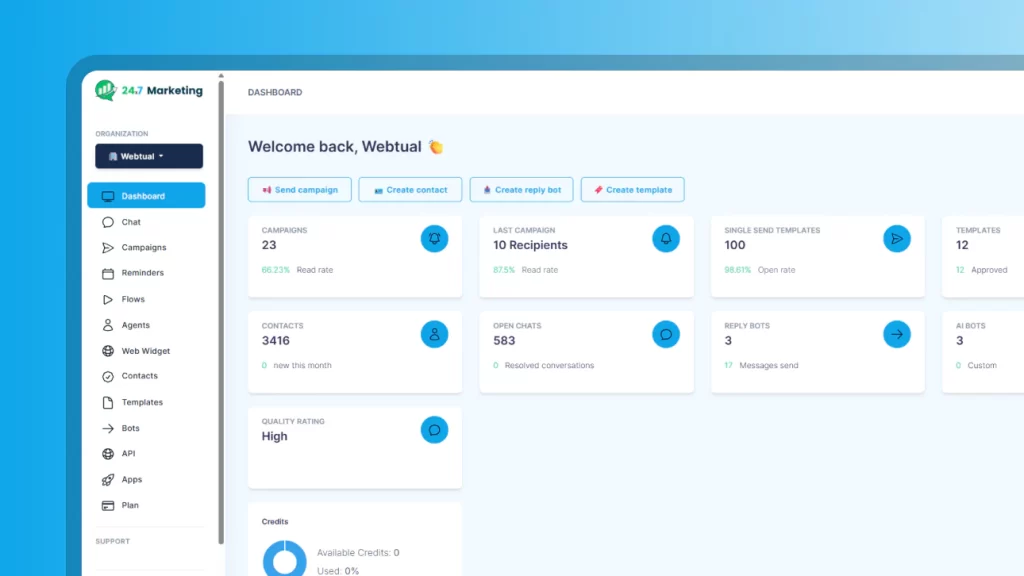
WhatsApp chatbot answering customers at any time
Related Projects

Customer-Facing Odoo Projects

WhatsApp works best on top of a well-built ERP. These case studies show the kind of customer-facing Odoo platforms our team delivers.

Pharmacy retail

Dawatech

Saudi Arabia, Jordan & Egypt · Odoo 16
Challenge
Branches handled pricing, refunds and cashier sessions differently across three countries.
Solution
One bilingual Odoo 16 platform with POS, B2B ordering and a consumer app.
Scope & technology
POSConsumer appEN / AR
Outcome
Live in three countries on one platform.
Read the case study →
Fashion retail

Koskii

India · 22 stores
Challenge
Separate systems caused interoperability problems and limited customization.
Solution
Odoo recommended as one platform for accounting, sales, purchasing and POS.
Scope & technology
RetailPOSOdoo
Outcome
One platform in place of separate software.
Read the case study →
Why MP Technolabs

Why Choose MP Technolabs for WhatsApp Solutions?

WhatsApp automation built by an ERP team, so messages come from real business data.

13+ years in businessA company track record in ERP projects.
V8–V20 expertiseWhatsApp for the Odoo version you run.
ERP-first designMessages triggered by real system events.
Official platformBuilt on Meta’s WhatsApp Business Platform.
Custom developmentFlows and screens built for your process.
Chatbot + peopleAutomation with a clear human handover.
Beyond OdooAPI integration with other ERP and CRM systems.
Functional + technicalProcess design and code from one team.
Cost

How Much Does WhatsApp Integration Cost?

Our price depends on the scope of the integration. WhatsApp messaging charges from Meta are separate and depend on your message types and volumes.

FactorWhy it matters
Use casesNumber of automated flows
SystemsOdoo, other ERP or CRM
ChatbotScope of questions and AI
TemplatesNumber of messages to prepare
AgentsShared inbox and routing
LanguagesTemplates and bot content
Compliance

Staying Within WhatsApp’s Rules

WhatsApp has clear rules for business messaging. We design every flow around them:

  • Customer opt-in before messaging
  • Approved templates for outbound messages
  • Free-form replies within the customer service window
  • Easy opt-out for marketing messages
  • Access limited by user roles

This protects your number’s quality rating and your customers’ trust.

Client Feedback

What Our Odoo Clients Say

Real words from real clients.

I’ve tried many partners, but I feel trust and experience with only the MP Technolabs team.
M
MohamadSeven Dimension, Kuwait
I appreciate working with the team — they delivered the project successfully.
S
Sonu TekwaniShree Mahadev Tex Fab Pvt Ltd
I’ve never seen responsiveness like the MP Technolabs team provides — 24/7 support, they’re always there.
UL88 logo
Dhiraj GuptaUL88
FAQ

WhatsApp Solutions FAQs

What businesses ask before automating WhatsApp.

Do you use the official WhatsApp Business API?

Yes. We build on Meta’s official WhatsApp Business Platform and follow its policies on opt-in, templates and messaging.

Can WhatsApp be integrated with Odoo?

Yes. Messages such as order confirmations, invoices and payment reminders can be sent from Odoo records, with replies logged on the same record.

Can you integrate WhatsApp with other ERP or CRM systems?

Yes. We integrate through APIs with systems such as SAP, Zoho or custom platforms, depending on what the system exposes.

Can we send invoices and documents on WhatsApp?

Yes. Invoices, quotations and other PDFs can be sent with a message, together with a payment or tracking link where relevant.

Can we send marketing campaigns?

Yes, using message templates approved by Meta and only to customers who have opted in. We help write and submit the templates.

What can the WhatsApp chatbot do?

Answer common questions, share product details, look up order status, capture leads, book appointments and hand complex conversations to a person.

Can several team members use one WhatsApp number?

Yes. A shared inbox lets several agents handle conversations on one business number, with assignment and history.

Can we keep our existing WhatsApp number?

Often yes. A number used on the WhatsApp Business app can usually be moved to the Business Platform; we check the steps during setup.

Does the chatbot support multiple languages?

Yes. Templates and chatbot content can be prepared in the languages your customers use.

Which Odoo versions do you support?

We have worked with Odoo versions from V8 to V20, and design the integration for the version you run.

Is customer data secure?

WhatsApp messages are encrypted in transit, and access in your ERP follows user roles. Hosting and data handling are agreed per project.

How long does implementation take?

It depends on the number of flows, systems and template approvals. We give a timeline after discovery.

Which industries use WhatsApp automation?

Retail, eCommerce, distribution, manufacturing, healthcare, education, hospitality and any business that communicates regularly with customers.

How much does WhatsApp integration cost?

It depends on use cases, systems, chatbot scope, templates, agents and languages; Meta’s messaging charges are separate. Request an estimate.

Automate Customer Communication

Ready to Connect WhatsApp to Your Business?

Tell us which messages you send today and which system holds the data. We’ll show you what can be automated on WhatsApp.